Pencil Party Brushes

Customer's How to Install & Use Guide

Procreate
Adobe Photoshop
Adobe Illustrator
Affinity Designer
Clip Studio

Pencil Party Procreate Brushes

Illustration of a cartoon animal character running with a backpack filled with pencils. The character has reddish-brown fur and a happy expression. The scene promotes a pencil party with a speech bubble saying "Hurry Up!" and text indicating 20 pencil brushes for digital art.
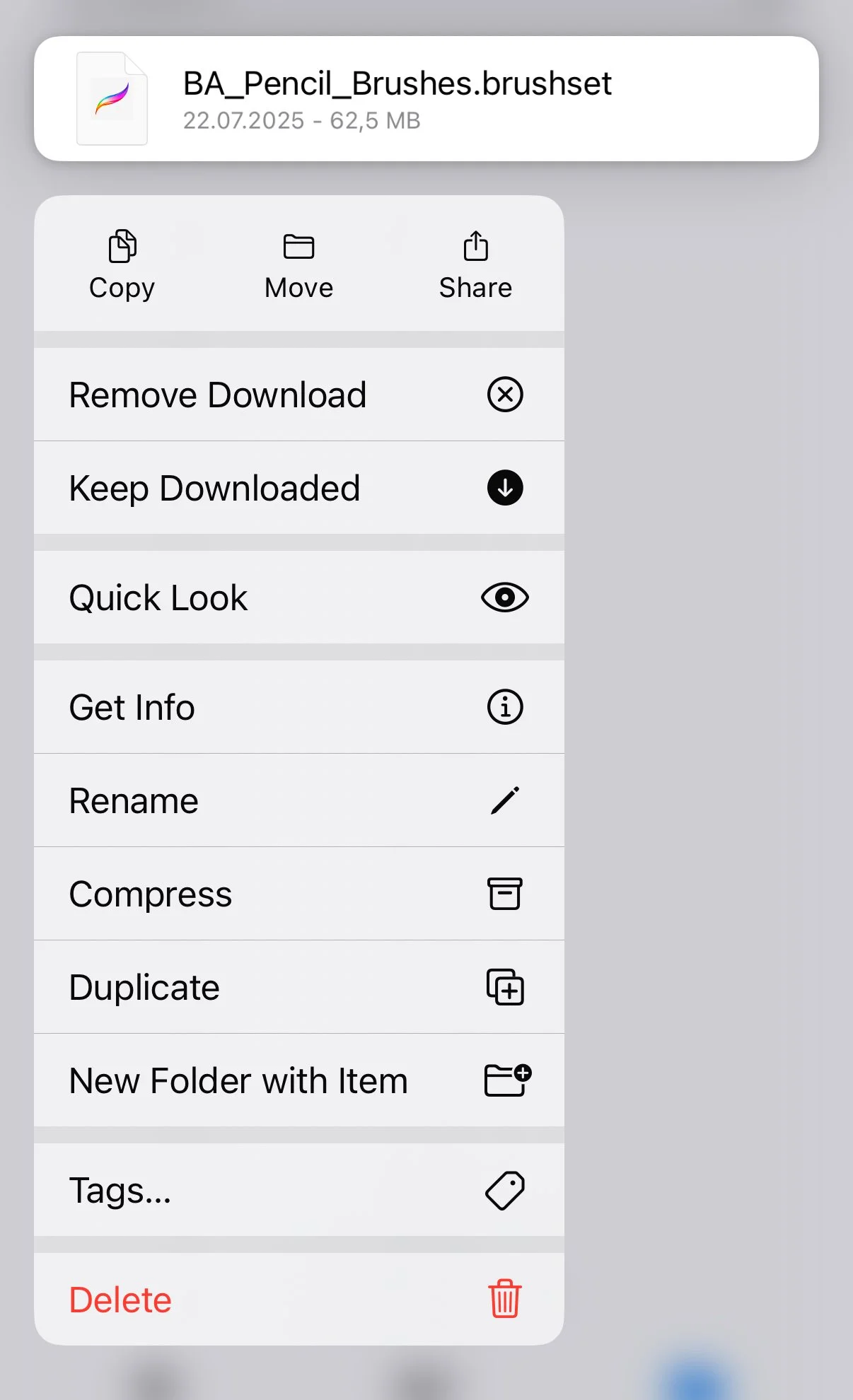
Screenshot of a file manager menu for a file named 'BA_Pencil_Brushes.brushset' showing options like Copy, Move, Share, Remove Download, Keep Downloaded, Quick Look, Get Info, Rename, Compress, Duplicate, New Folder with Item, Tags, Delete.

Step 1

Locate and open the downloaded files named:

  • BA_Pencil_Brushes.brushset

In the contextual menu choose and press Share button.

Step 2

In the contextual menu choose and press Open in Procreate button.

Pencil Party Photoshop Brushes
A colorful cartoon squirrel running with a backpack filled with pencils and a speech bubble that says 'HURRY UP!'. Text on the left reads 'PENCIL PARTY, 20 Pencil Brushes'. Logos for Brush Shapes Studio and Photoshop brush website are also visible.
Photoshop Brushes Installation

Step 1

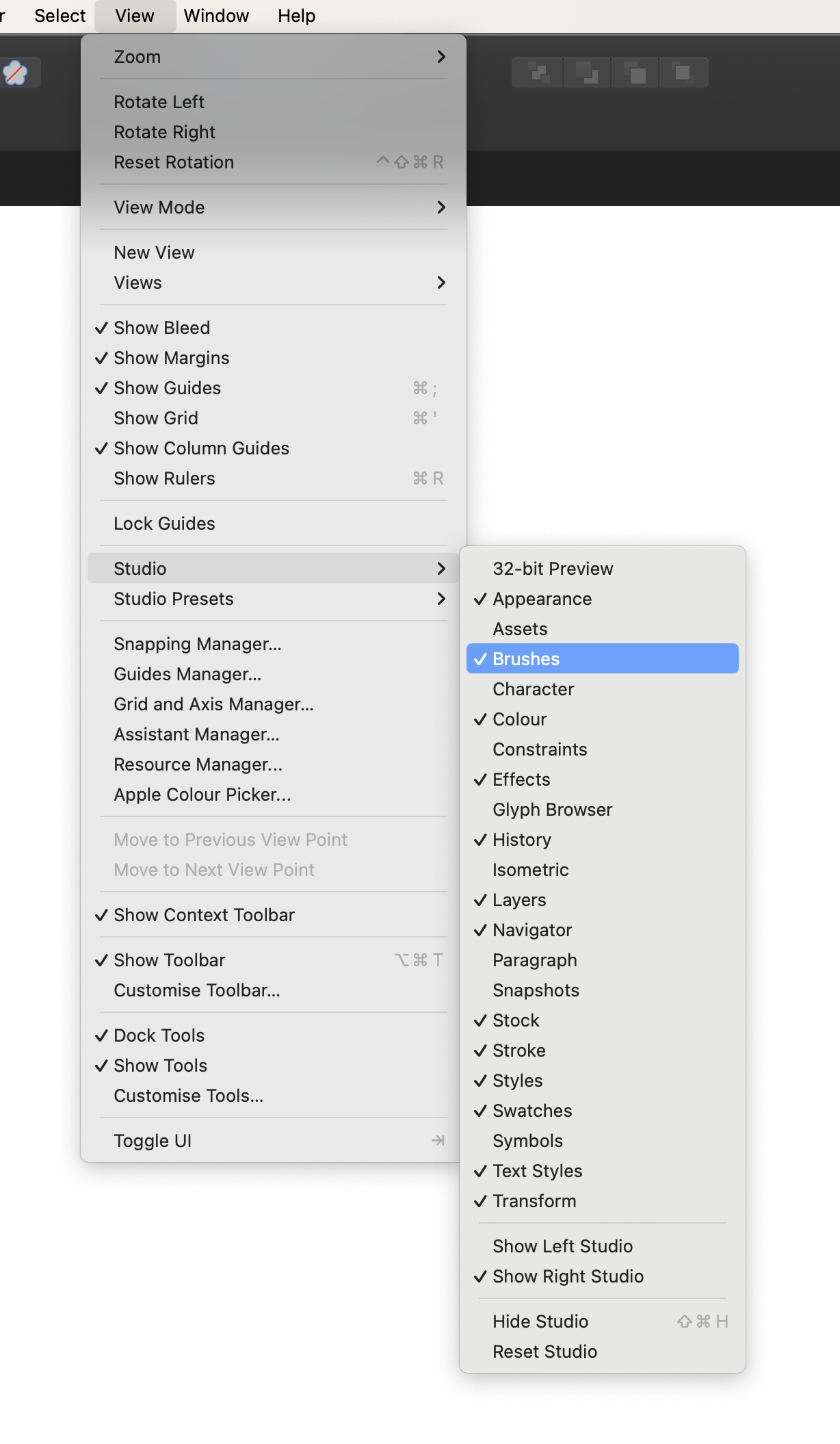
In Adobe Photoshop, Open the Brushes panel (Window > Brushes).

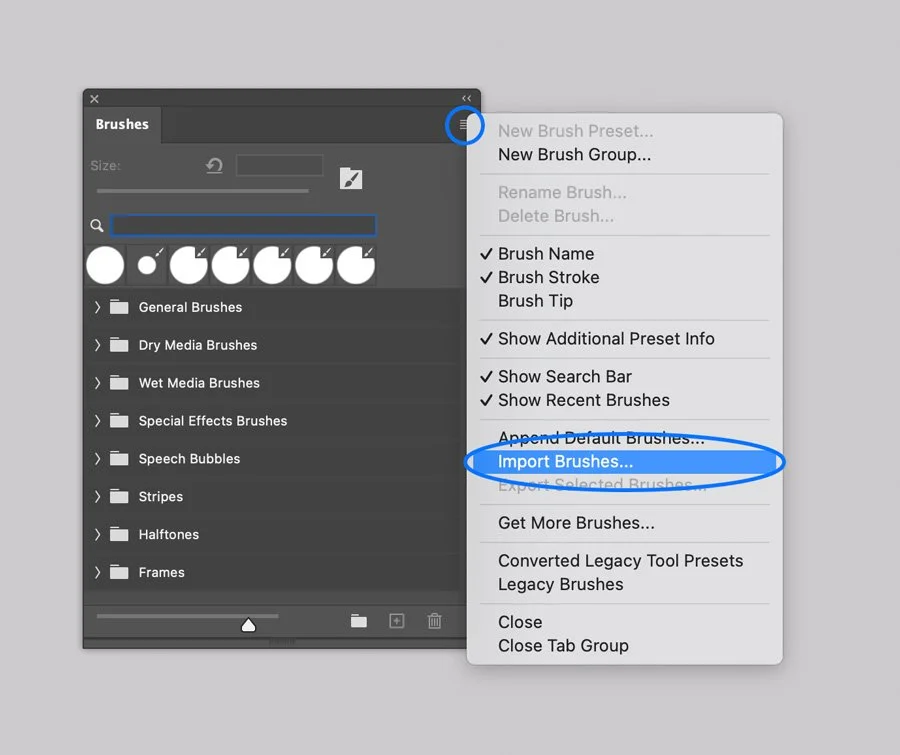
Click the panel's upper right corner button to open drop-down menu.

Step 2

Select the Import Brushes option from the menu and browse the files named:

  • BA Pencil Brushes.abr

Pencil Party Illustrator Brushes
Illustration of a cartoon squirrel with pencils in a backpack riding a large pencil, saying 'HURRY UP!', promoting a Pencil Party event with 20 pencil brushes.
Illustrator Brushes Installation

Step 1

In Adobe Illustrator, open the Brushes panel (Window > Brushes, or F5).

Step 2

Open the Brush Libraries Menu in the bottom left of the Panel (the bookshelf icon).

Step 3

Select the Other Library option and browse the BA Pencil Brushes.ai file.

Illustrator Brushes Installation

Drawing with the Brushes

  1. Select the Brush Tool from the Tools Menu (B).

  2. Select one of the brushes on the Brushes Tab by clicking on it.

  3. Draw a line.

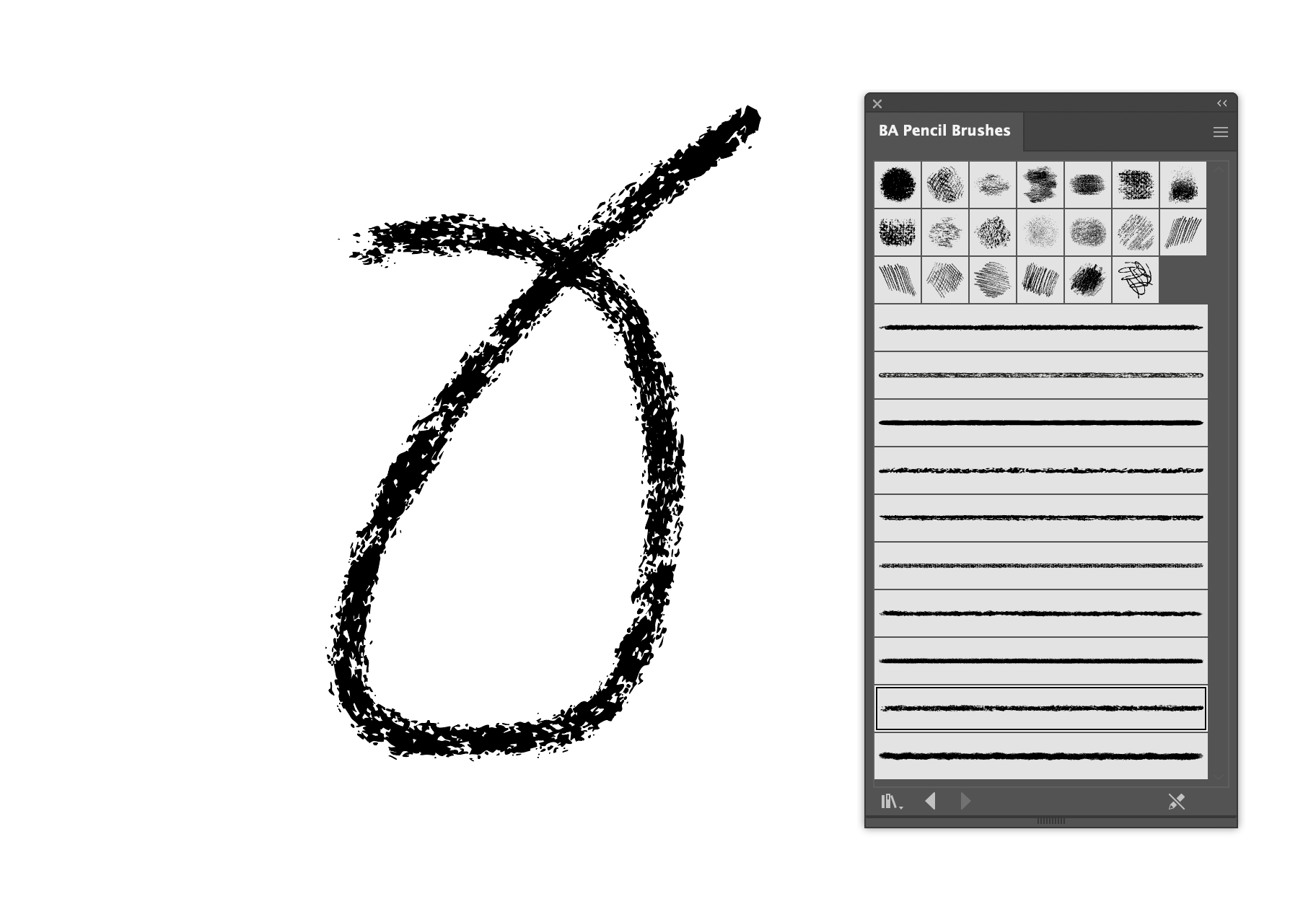
Black digital drawing of a pear on a white background, with a digital art brush palette to the right.
Illustrator Brushes Installation

Or, you can apply brushes to existing paths and shapes:

  1. Select an existing line or vector shape with Selection tool (V).

  2. Select one of the brush icons on the Panel, and it will be applied to your line.

  3. Adjust the render by changing Stroke thickness in the Appearance panel.

  4. Next, select one of the halftone swatches and enjoy the final result.

Graphic of a hexagon shape with a dotted black outline, in a graphic design software. There is a brush options panel showing various black inkbrush styles.
Screenshot of a graphics editing software interface showing appearance settings for fill, stroke, and opacity.

Texturing and shading with scatter brushes in Adobe Illustrator can be a memory­ consuming process and may affect performance.

If you run an older machine (e.g., pre-2020) with less than 8GB of RAM, you may experience slower-than-usual performance.

Warning

Pencil Party Affinity Brushes
A colorful cartoon fox carrying a backpack filled with pencils and a banana, running with a speech bubble saying "HURRY UP!". Text on the image reads "PENCIL PARTY" and "20 Pencil Brushes".
Affinity Brushes Installation

Computer. Step 1

In Affinity Designer open the Brushes panel (Window > Brushes).

Computer. Step 2

Open the drop-down menu in the upper right corner of the Panel.

Screenshot of a digital art program's brush menu, showing a list of options including creating, renaming, deleting, sorting, importing, exporting brushes, and creating new solid, textured, or image brushes. The background displays a variety of striped brushes.

Computer. Step 3

Select the Import Brushes option on the Menu and browse files on your device:

  • BA Pencil Brushes.afbrushes

  • BA Vector Pencil Brushes.afbrushes

Tablet. Step 1

In Affinity Designer app open the Brushes panel.

Tablet. Step 2

Open the drop-down menu in the upper right corner of the Panel.
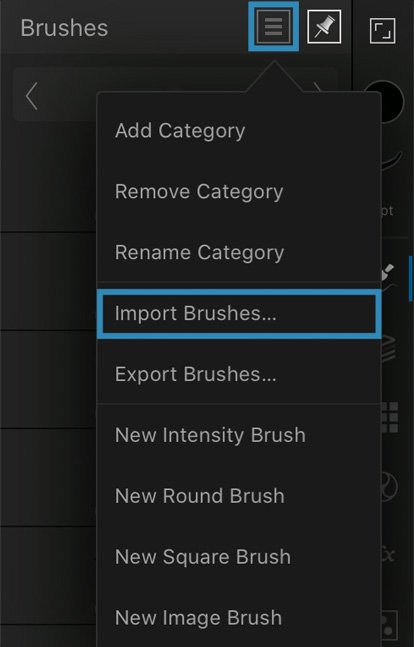
Affinity Brushes Installation

Tablet. Step 3

Select the Import Brushes option on the Menu and browse files on your device:

  • BA Pencil Brushes.afbrushes

  • BA Vector Pencil Brushes.afbrushes

Pencil Party Clip Studio Brushes
Colorful sketch of a cartoon squirrel with a backpack and a pack of pencils, saying 'HURRY UP!', promoting a pencil party with 20 pencil brushes from Brushapes Studio.

Computer. Step 1.

In Clip Studio Paint open the Brushes Panel (Window > Sub Tool: Brush)

Screenshot of a dropdown menu from a software interface, displaying options under the 'Window' menu including tools and settings such as Brush, Color Wheel, and Grid.

Computer. Step 2.

Open the drop-down menu in the upper left corner of the Panel.

Select the Import sub tool option, and browse the brushes one by one.

Screenshot of a digital art software interface showing a menu with sub tool group settings and a list of halftone pattern options.

Tablet. Step 1.

Open the downloaded folder, and browse Product files named BA Pencil Brush 1.sut, BA Pencil Brush 2.sut, and so on.

Open the contextual menu on each brush, and select the Share option.
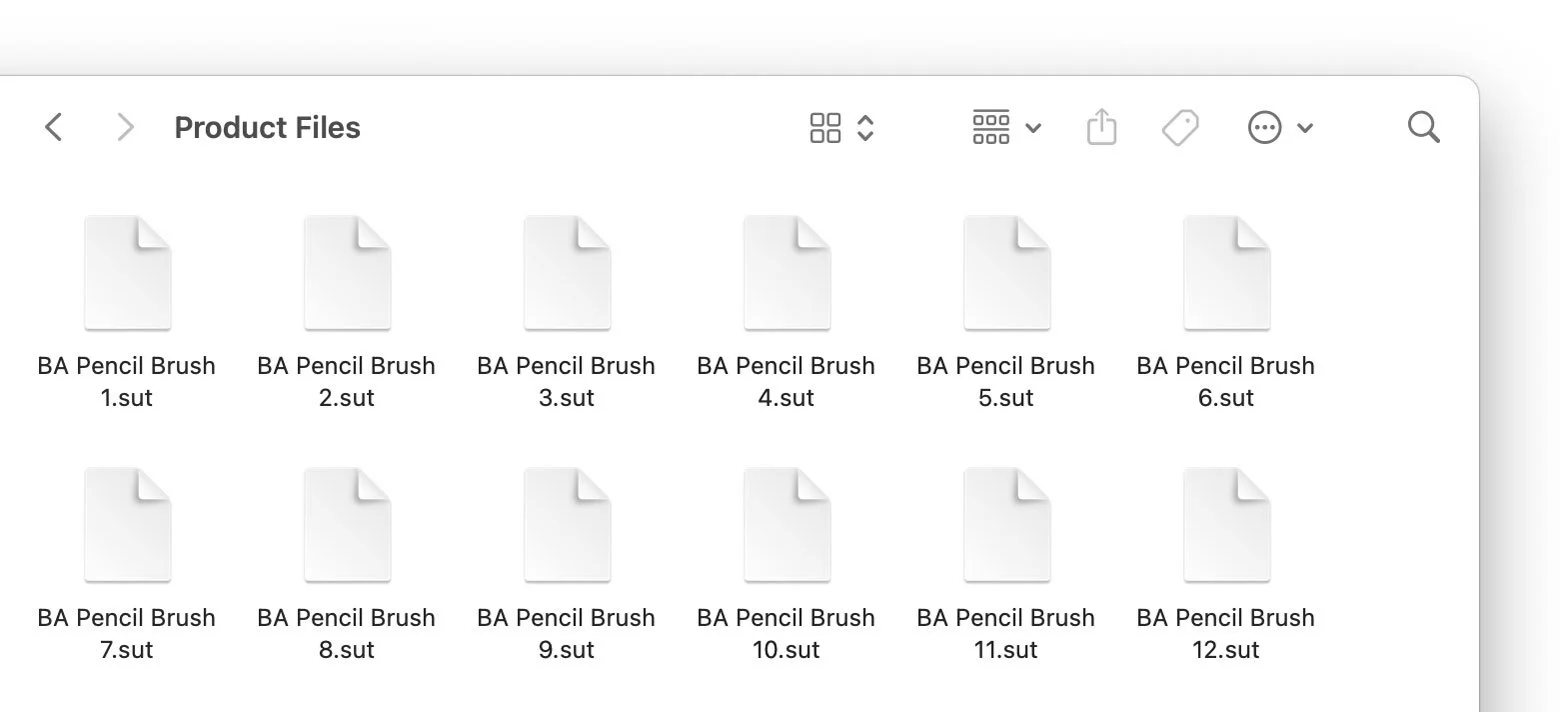
Screenshot of a folder named 'Product Files' containing image files named 'BA Pencil Brush' with different slot numbers from 1 to 12.

Tablet. Step 2.

Next, Select ‘Clip Studio’ icon to open the file. Repeat these actions for each brush file.

Screenshot of a mobile device sharing menu with options including AirDrop, Mail, Notes, and Clip Studio, and actions such as Copy and Add Tags.
Back to Top