Torn Paper Brushes

Customer's How to Install & Use Guide

Procreate
Adobe Photoshop
Affinity Designer
Clip Studio

Procreate Torn Paper Brushes

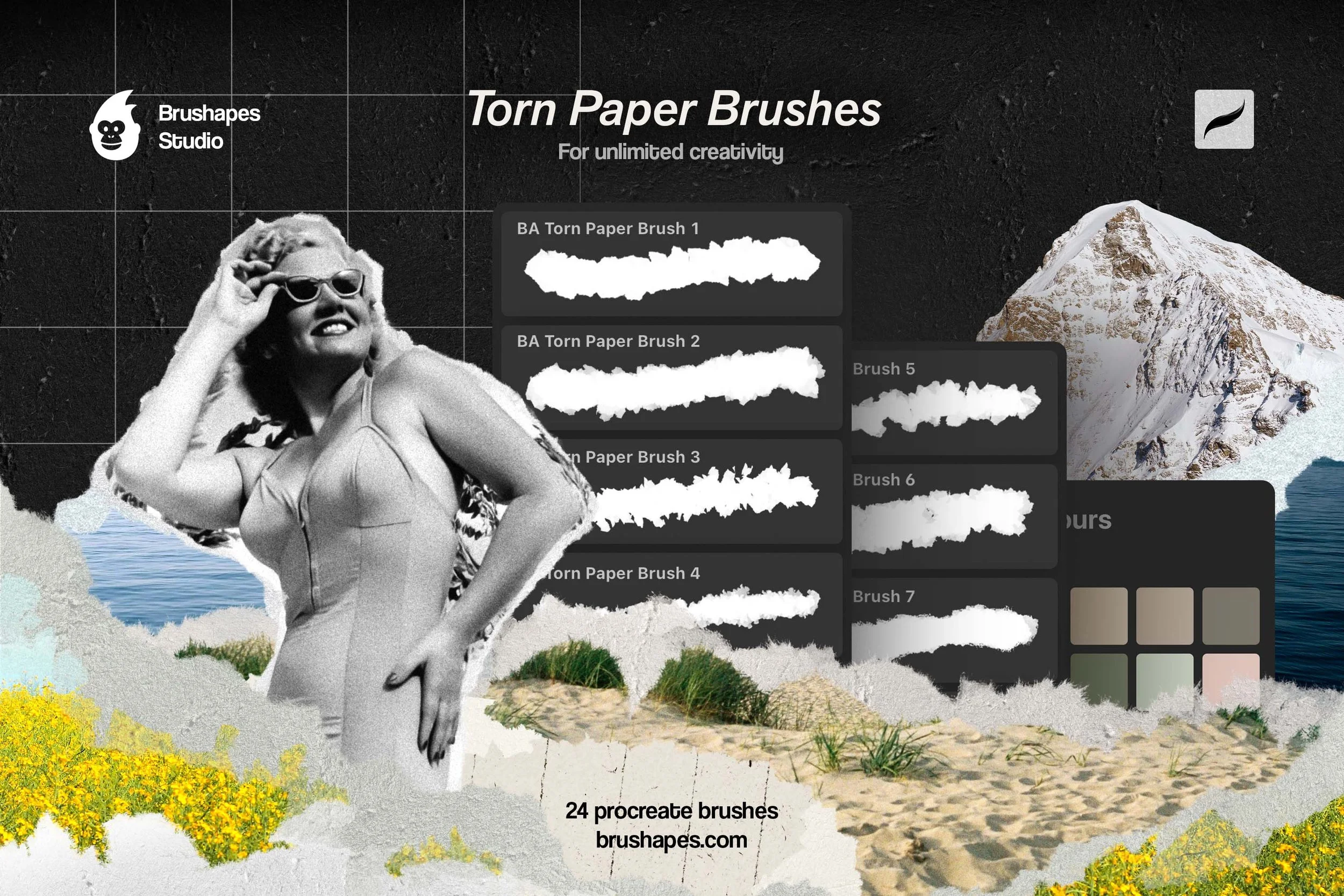
Collage featuring a vintage photograph of a woman in a swimsuit, torn paper brushes, a mountain, a lake, and sand dunes with grass, along with text about torn paper brushes for creativity.
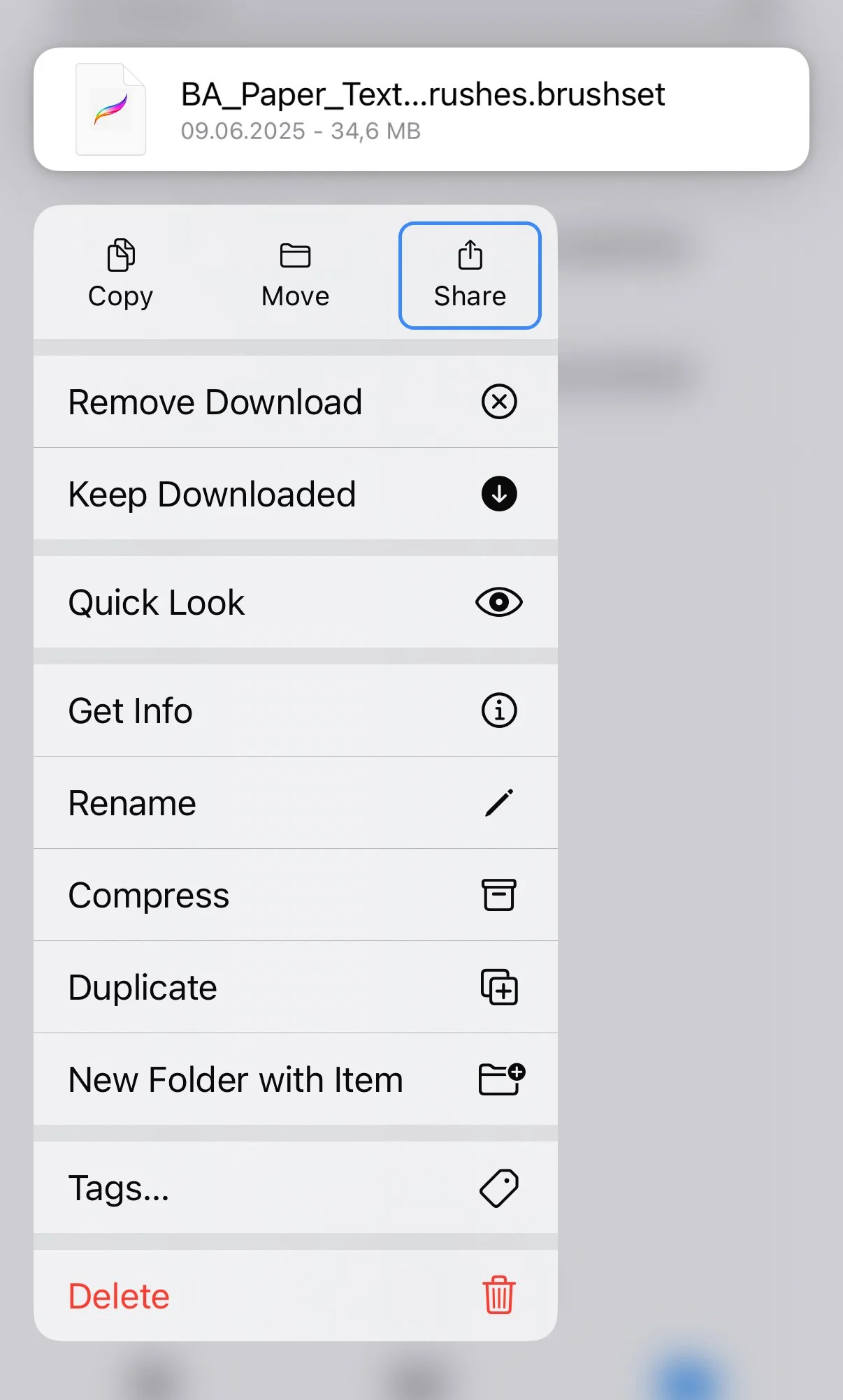
Screenshot of a mobile device showing a file named 'BA_Paper_Text...rushes.brushset' with a context menu open, listing options like Copy, Move, Share, Remove Download, Keep Downloaded, Quick Look, Get Info, Rename, Compress, Duplicate, New Folder with Item, Tags, and Delete.

Step 1

Locate and open the downloaded files named:

  • BA_Torn_Paper_Brushes.brushset

  • BA_Paper_Texture_Brushes.brushset

In the contextual menu choose and press Share button.

Step 2

In the contextual menu choose and press Open in Procreate button.

Step 3

Locate and open in Procreate the downloaded files named:

  • BA_Torn_Paper_Brushes_Palette.swatches

In the contextual menu choose and press Share button.

Photoshop Torn Paper Brushes
A collage featuring a black-and-white photo of a woman in a swimsuit, a mountain, water, yellow flowers, sand, and a digital overlay of torn paper brush options for Photoshop.
Photoshop Brushes Installation
Screen capture of a Photoshop swatches panel open, displaying color palettes labeled 'Light', 'Pure', 'Dark', 'Darker', 'Pale', and several 'BA Palette' folders with color swatches. A dropdown menu is open showing options for swatch management, with 'Import Swatches...' highlighted.

Step 1

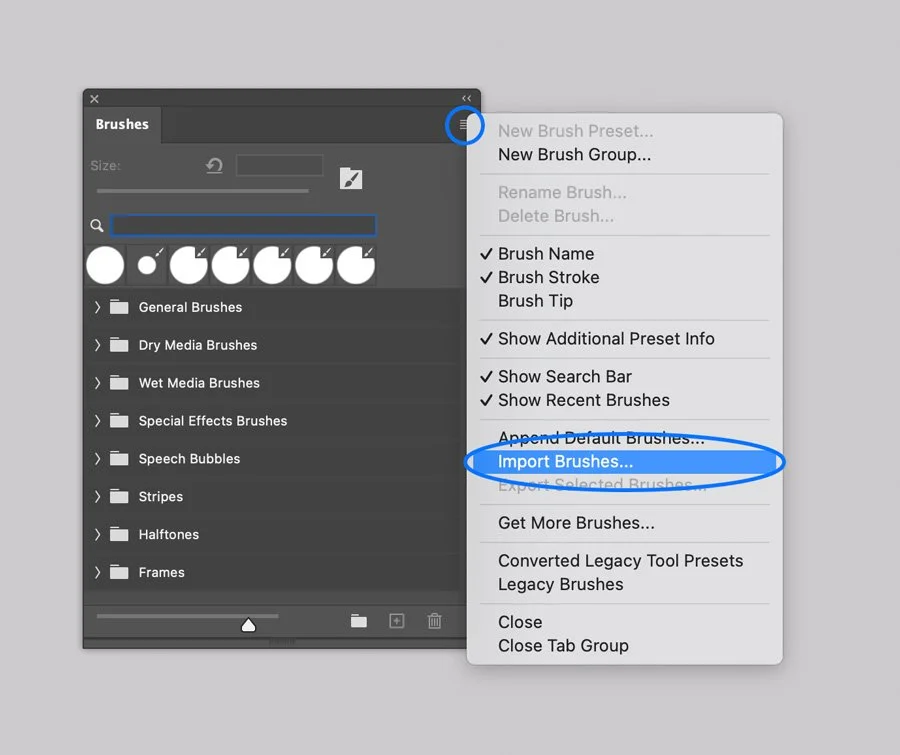
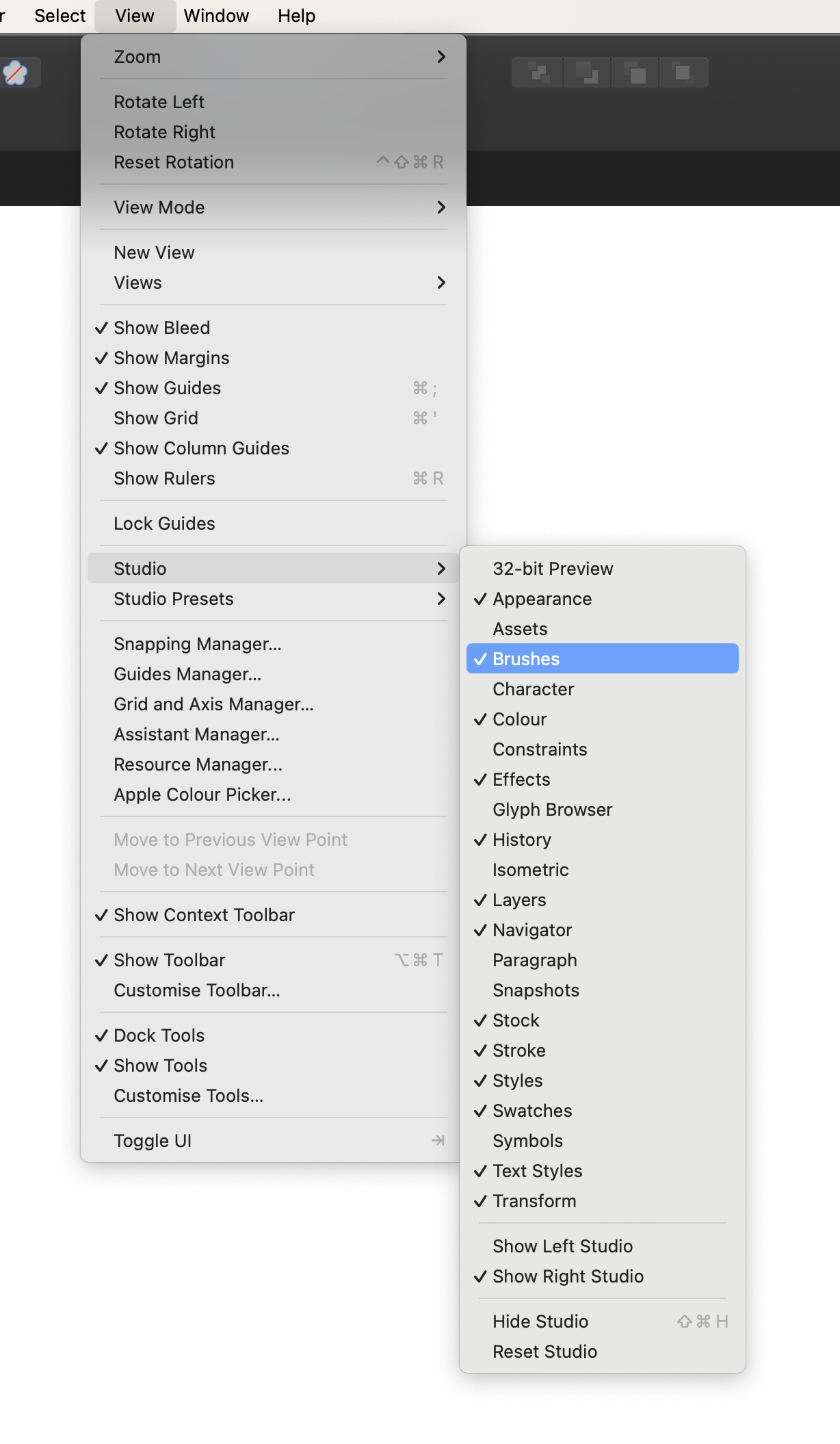
In Adobe Photoshop, Open the Brushes panel (Window > Brushes).

Click the panel's upper right corner button to open drop-down menu.

Step 2

Select the Import Brushes option from the menu and browse the files named:

  • BA Torn Paper Brushes.abr

  • BA Paper Texture Brushes.abr

In Adobe Photoshop, Open the Swatches panel (Window > Swatches).

Click the panel's upper right corner button to open drop-down menu.

Select the Import Swatches option from the menu and browse the files named:

  • BA Torn Paper Brushes Palette.aco

Step 3

Affinity Torn Paper Brushes
A collage of torn paper brushes featuring a black and white photo of a smiling woman wearing sunglasses, a mountain with snow, a body of water, sandy dunes with grass, and yellow flowers with a color palette for digital art. The text on the collage includes 'Torn Paper Brushes,' 'For unlimited creativity,' and the website 'brushes.com'.
Affinity Brushes Installation

Computer. Step 1

In Affinity Designer open the Brushes panel (Window > Brushes).

Computer. Step 2

Open the drop-down menu in the upper right corner of the Panel.

Screenshot of a digital brush library menu with options to create, rename, delete, sort, import, or export brushes, with a selection to import brushes.

Computer. Step 3

Select the Import Brushes option on the Menu and browse files on your device:

  • BA Torn Paper Brushes.afbrushes

  • BA Paper Texture Brushes.afbrushes

Computer. Step 4

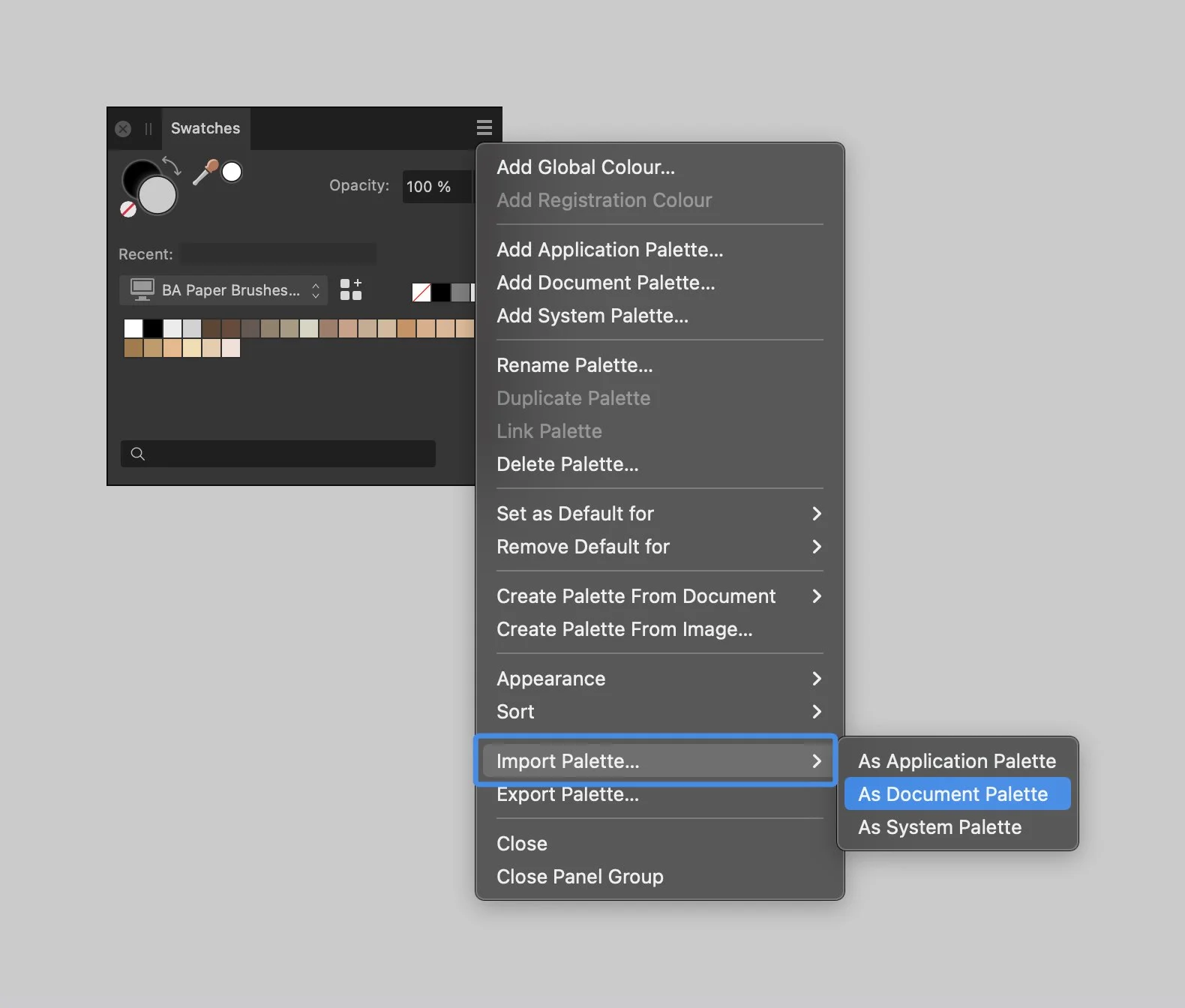
Open the Swathces panel (Window > Swatches). Open the drop-down menu in the upper right corner of the Panel.

Select the Import Palette option on the Menu and browse files on your device:

  • BA Torn Paper Brushes Palette.clr

Screenshot of a palette menu in a graphic design software, showing options for importing a color palette as a document palette.

Tablet. Step 1

In Affinity Designer app open the Brushes panel.

Tablet. Step 2

Open the drop-down menu in the upper right corner of the Panel.
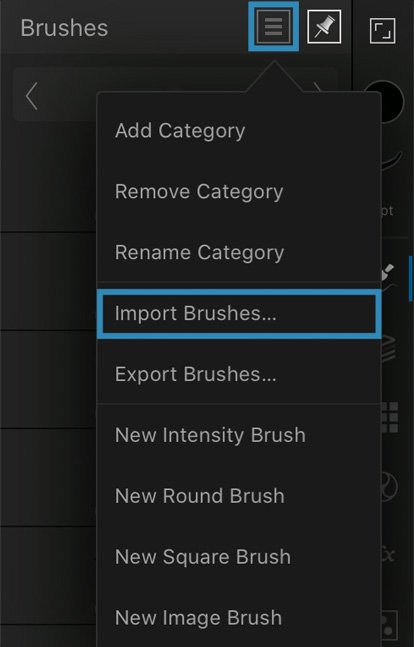
Affinity Brushes Installation

Tablet. Step 3

Select the Import Brushes option on the Menu and browse files on your device:

  • BA Torn Paper Brushes.afbrushes

  • BA Paper Texture Brushes.afbrushes

Tablet. Step 4

Select the Import Palette option on the Menu and browse files on your device:

  • BA Torn Paper Brushes Palette.clr

Clip Studio Torn Paper Brushes
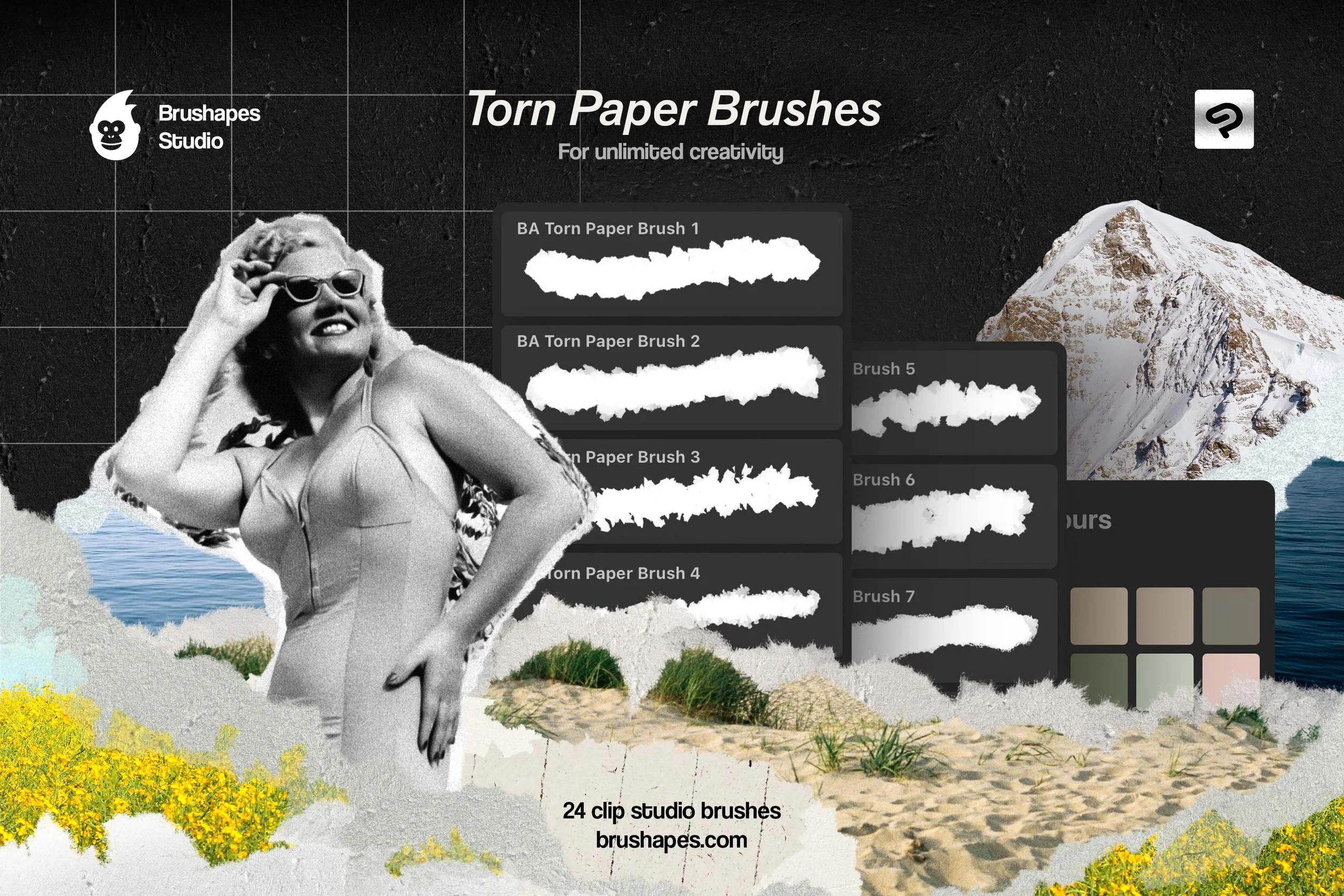
A digital collage advertising torn paper brushes for creative design, featuring a black and white vintage photo of a woman in a swimsuit and sunglasses, a mountain, a body of water, sand, yellow flowers, and visual sample brushes.

Computer. Step 1.

In Clip Studio Paint open the Brushes Panel (Window > Sub Tool: Brush)

Screenshot of a dropdown menu from a software window, showing options such as Minimize, Zoom, Bring All to Front, Canvas, Workspace, Command Bar, Quick Access, Tool, Sub Tool: Brush, Tool property: Grid 9, Brush size: Grid 9, Sub Tool Detail, Color Wheel, Color Slider, Color Set, Intermediate Color, Approximate Color, Color History, Color Mixing.

Computer. Step 2.

Open the drop-down menu in the upper left corner of the Panel.

Select the Import sub tool option, and browse the brushes one by one.

Screenshot of a digital art software interface showing a menu with options for managing sub tools. The menu includes options such as 'Sub tool group settings,' 'Duplicate sub tool,' 'Sub tool settings,' and others. The background contains a list of different 'Halftone' sub tools numbered from 3 to 39, with various dot and pattern styles. The left side of the interface contains a vertical toolbar with drawing and editing icons.

Tablet. Step 1.

Open the downloaded folder, and browse Product files named BA Torn Paper Brush 1.sut, BA Torn Paper Brush 2.sut, and so on.

Open the contextual menu on each brush, and select the Share option.

Tablet. Step 2.

Next, Select ‘Clip Studio’ icon to open the file. Repeat these actions for each brush file.

Screenshot of iOS share menu showing options like AirDrop, Mail, Notes, and Clip Studio, with the Clip Studio icon highlighted.
Back to Top