Paper Texture Brushes

Customer's How to Install & Use Guide

Procreate
Adobe Photoshop
Affinity Designer
Clip Studio

Procreate Paper Texture Brushes

Cover of a digital product listing for seamless paper with pastel-colored textures, featuring the brand Brush Shapes Studio and categories for subtle, watercolor & canvas, and kraft papers.
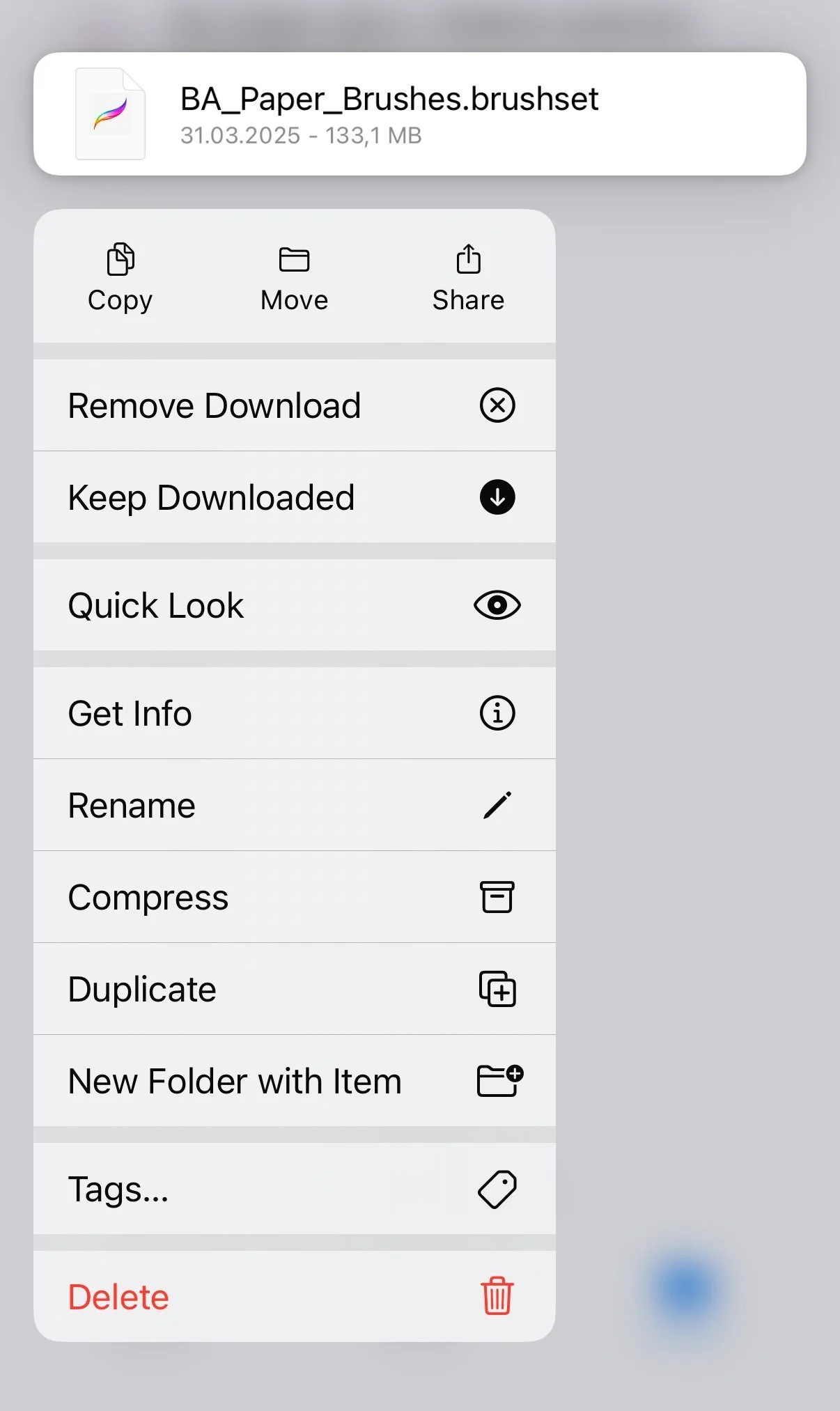
Screenshot of a file menu for a digital brushset named 'BA_Paper_Brushes.brushset' with options for copying, moving, sharing, removing, keeping, quick look, getting info, renaming, compressing, duplicating, creating new folder, adding tags, and deleting.

Step 1

Locate and open the downloaded files named:

  • BA_Paper_Brushes.brushset

In the contextual menu choose and press Share button.

Step 2

In the contextual menu choose and press Open in Procreate button.

Step 3

Locate and open in Procreate the downloaded files named:

  • BA_Paper_Brushes_Palette.swatches

In the contextual menu choose and press Share button.

Photoshop Paper Texture Brushes

Cover of a digital art product titled 'Seamless Papers' by Brushapes Studio, showing overlapping textured paper samples in pastel colors on a black background with categories: Subtle Papers, Watercolor & Canvas Papers, Kraft Papers, and text indicating 20 Photoshop brushes available at brushshapes.com.
Photoshop Brushes Installation

Step 1

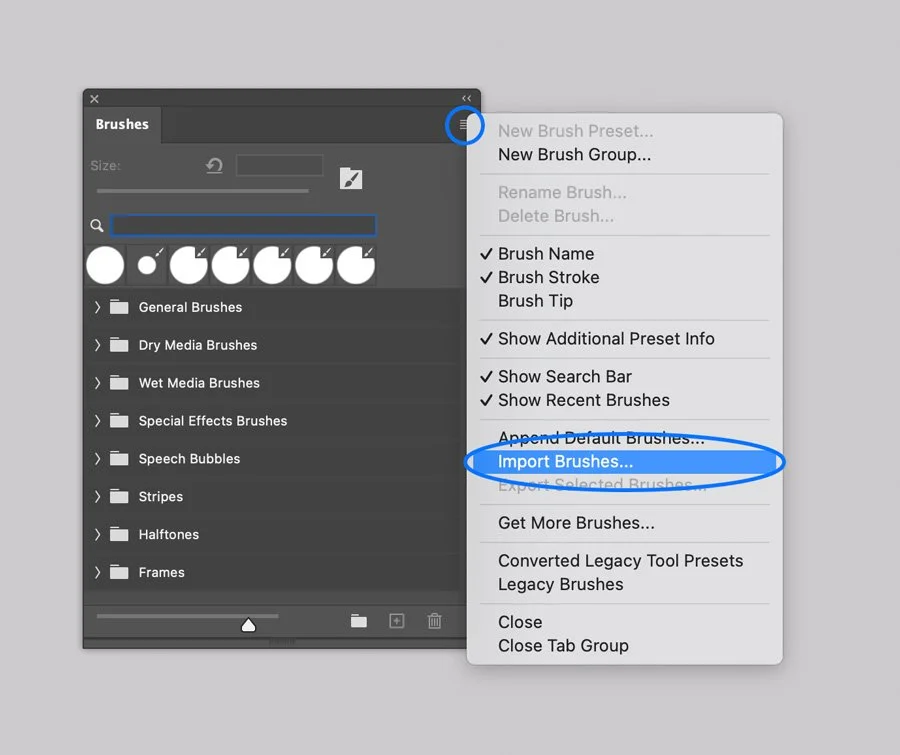
In Adobe Photoshop, Open the Brushes panel (Window > Brushes).

Click the panel's upper right corner button to open drop-down menu.

Step 2

Select the Import Brushes option from the menu and browse the files named:

  • BA Paper Brushes.abr

Screenshot of a digital color palette interface with various color swatches named 'Light, Pure, Dark, Darker, Pale,' and three nested palettes labeled 'BA Palette 1, 2, 3, 4'. The context menu shows options like 'New Swatch Preset,' 'Rename Group,' 'Delete Group,' 'Import Swatches,' and others.

Step 3

In Adobe Photoshop, Open the Swatches panel (Window > Swatches).

Click the panel's upper right corner button to open drop-down menu.

Select the Import Swatches option from the menu and browse the files named:

  • BA Paper Brushes Palette.aco

Affinity Paper Texture Brushes

Cover of a paper pack with the title 'Seamless Papers' and the text '20 affinity brushes' at the bottom, showing pastel colored textured papers in pink, beige, green, purple, and yellow.
Affinity Brushes Installation

Computer. Step 1

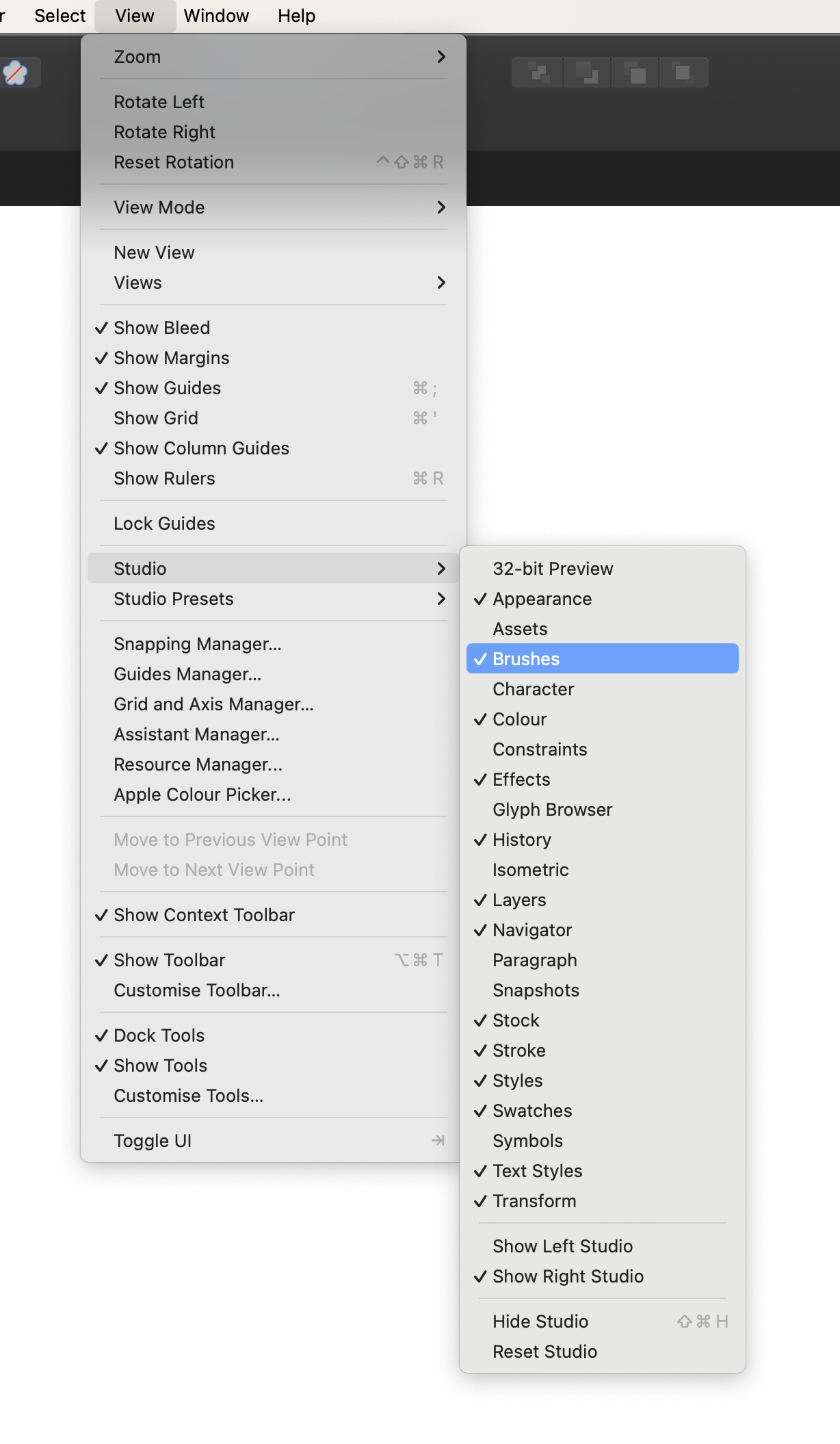
In Affinity Designer open the Brushes panel (Window > Brushes).

Computer. Step 2

Open the drop-down menu in the upper right corner of the Panel.

Screenshot of a digital art program menu showing options for importing brushes, with several striped brush strokes displayed.

Computer. Step 3

Open the Swathces panel (Window > Swatches). Open the drop-down menu in the upper right corner of the Panel.

Select the Import Palette option on the Menu and browse files on your device:

  • BA Paper Brushes Palette.clr

Select the Import Brushes option on the Menu and browse files on your device:

  • BA Paper Brushes.afbrushes

Computer. Step 4
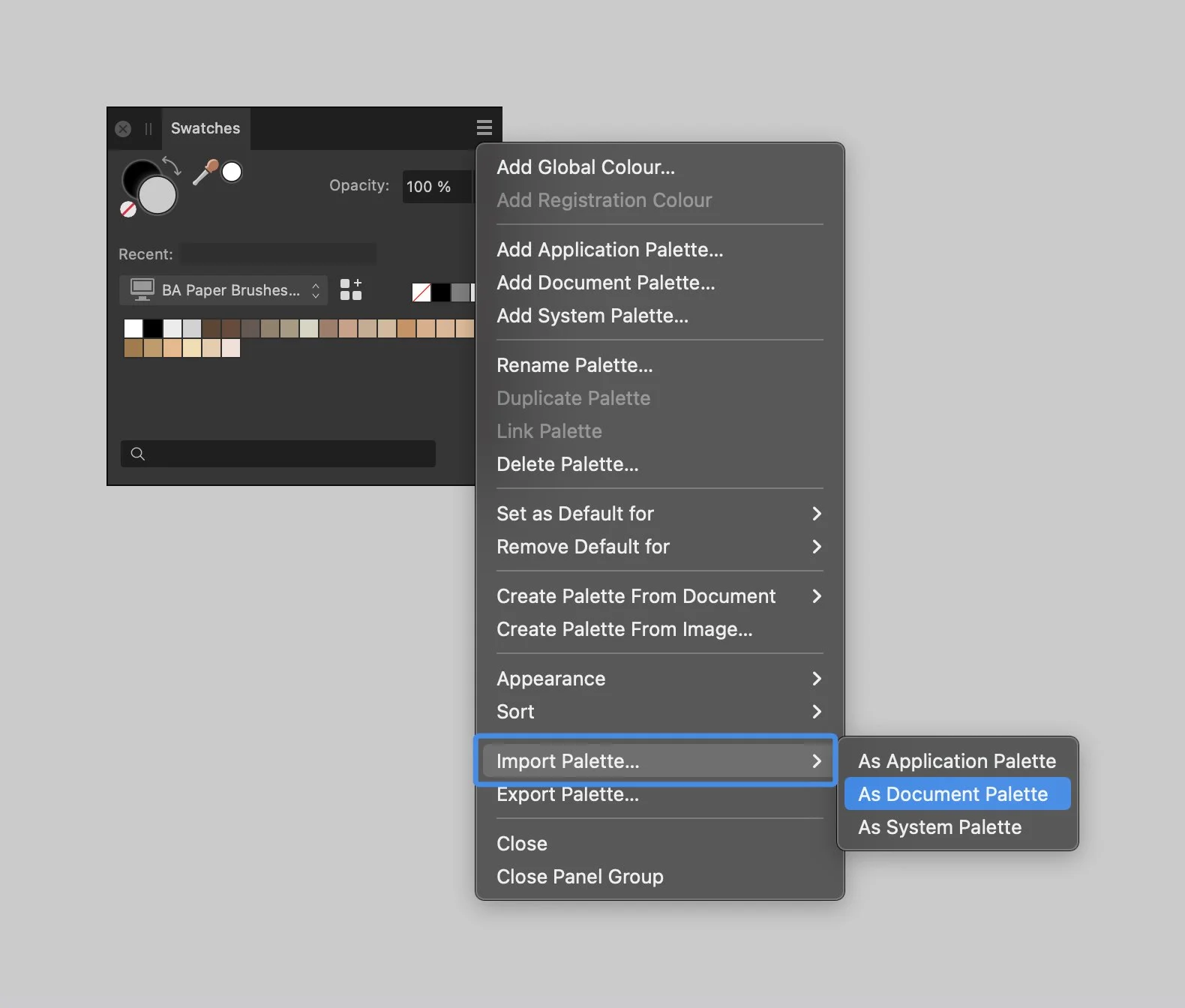
Screenshot of a photo editing software showing the menu for importing color palettes, with options including 'As Document Palette.'

Tablet. Step 1

In Affinity Designer app open the Brushes panel.

Tablet. Step 2

Open the drop-down menu in the upper right corner of the Panel.
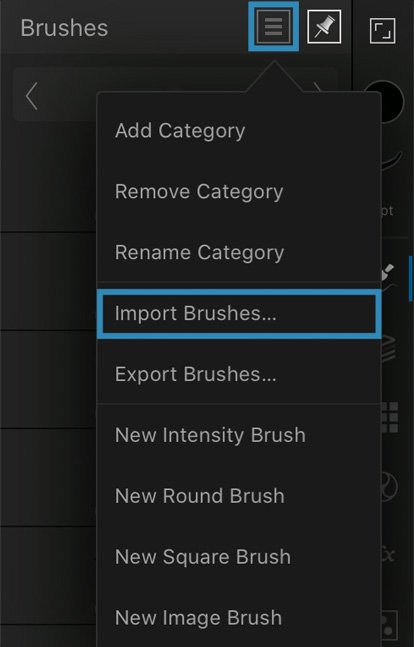
Affinity Brushes Installation

Tablet. Step 3

Select the Import Brushes option on the Menu and browse files on your device:

  • BA Paper Brushes.afbrushes

Tablet. Step 4

Select the Import Palette option on the Menu and browse files on your device:

  • BA Paper Brushes Palette.clr

Clip Studio Paper Texture Brushes

Cover image for Seemless Papers collection showing pastel-colored textured paper sheets with black background and white text.

Computer. Step 1.

In Clip Studio Paint open the Brushes Panel (Window > Sub Tool: Brush)

Screenshot of a dropdown menu from graphic design software, showing options under the Window menu, including tools and display settings like Sub Tool: Brush, Tool property: Grid 9, and Brush size: Grid 9.

Computer. Step 2.

Open the drop-down menu in the upper left corner of the Panel.

Select the Import sub tool option, and browse the brushes one by one.

Screenshot of a digital art software interface showing a menu for sub tool group settings, with options such as duplicate, delete, create custom, add from default, lock, reset, save, import, export, register, add, view, and show commands, along with a list of different halftone pattern brushes.

Tablet. Step 1.

Open the downloaded folder, and browse Product files named BA Subtle Paper Brush 1.sut, BA Subtle Paper Brush 2.sut, and so on.

Open the contextual menu on each brush, and select the Share option.

Tablet. Step 2.

Next, Select ‘Clip Studio’ icon to open the file. Repeat these actions for each brush file.

Screenshot of a mobile device menu showing options for sharing a file via AirDrop, Mail, Notes, and Clip Studio, with icons for each sharing method.
Back to Top