Classy Oil Brushes

Customer's How to Install & Use Guide

Procreate
Adobe Photoshop
Adobe Illustrator
Affinity Designer
Clip Studio

Procreate Classy Oil Brushes

A digital painting of a woman with blue eyes and red lipstick wearing a wide-brimmed hat, with colorful abstract background, promoting ArtStudio software.
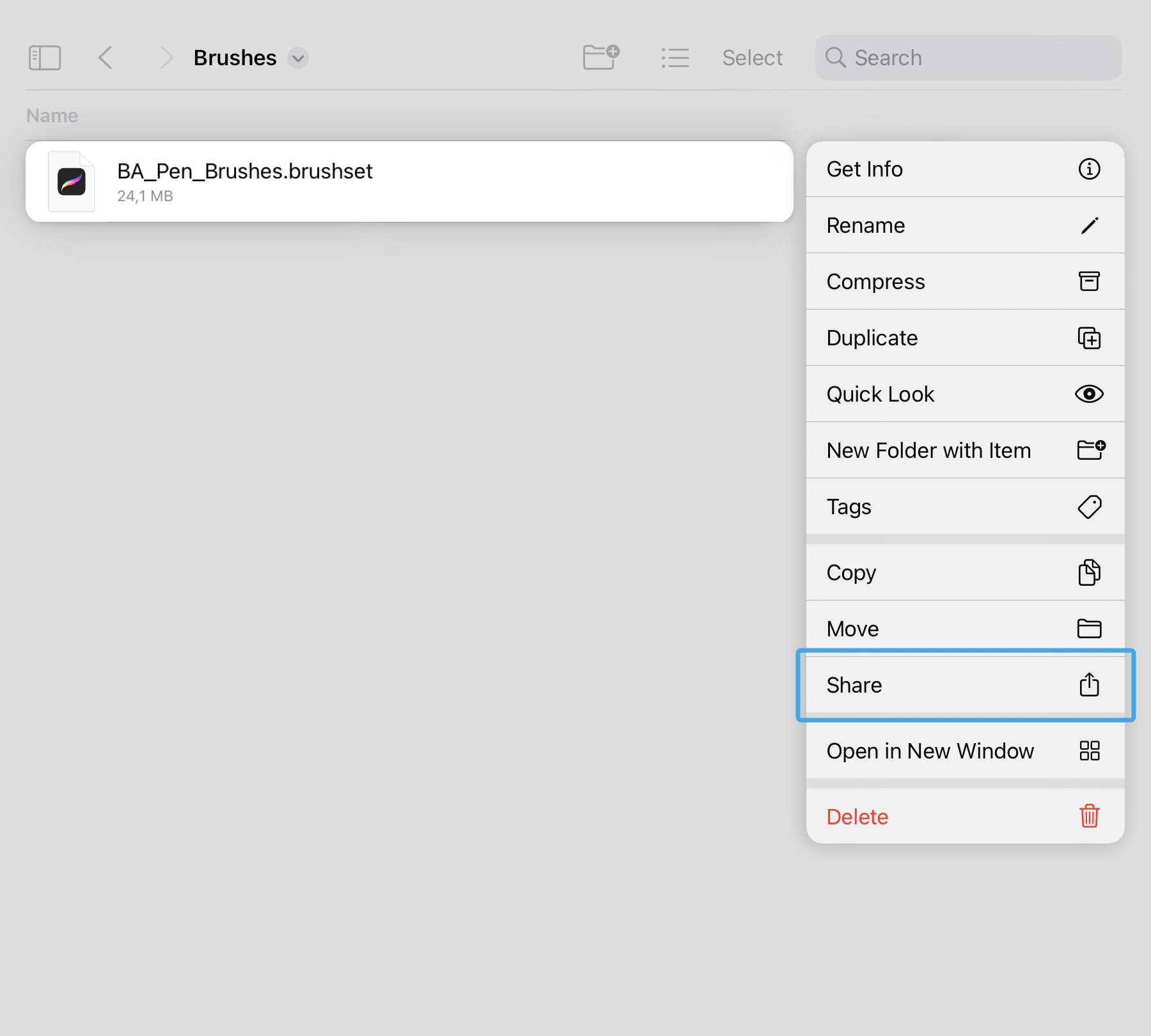
A digital file named 'BA_Pen_Brushes.brushset' open on a computer app, showing a list of options including Get Info, Rename, Compress, Duplicate, Quick Look, New Folder with Item, Tags, Copy, Move, Share, Open in New Window, and Delete.

Step 1

Locate and open the downloaded files named:

  • BA_Oil_Painting_Brushes.brushset

In the contextual menu choose and press Share button.

Screenshot showing the process of sharing a Procreate oil painting brushes file via the iPhone sharing menu, with options like AirDrop, Procreate, Messages, and Mail.

Step 2

In the contextual menu choose and press Open in Procreate button.

Package also includes 4 high-resolution paper textures in JPG format.

Photoshop Classy Oil Brushes

A digital painting of a woman with short dark hair, blue eyes, red lipstick, wearing a large, colorful hat. The background has pastel colors. Text on the image reads 'Classy Oil' and mentions 'Brushes Studio' and 'Photoshop.'
Photoshop Brushes Installation

Step 1

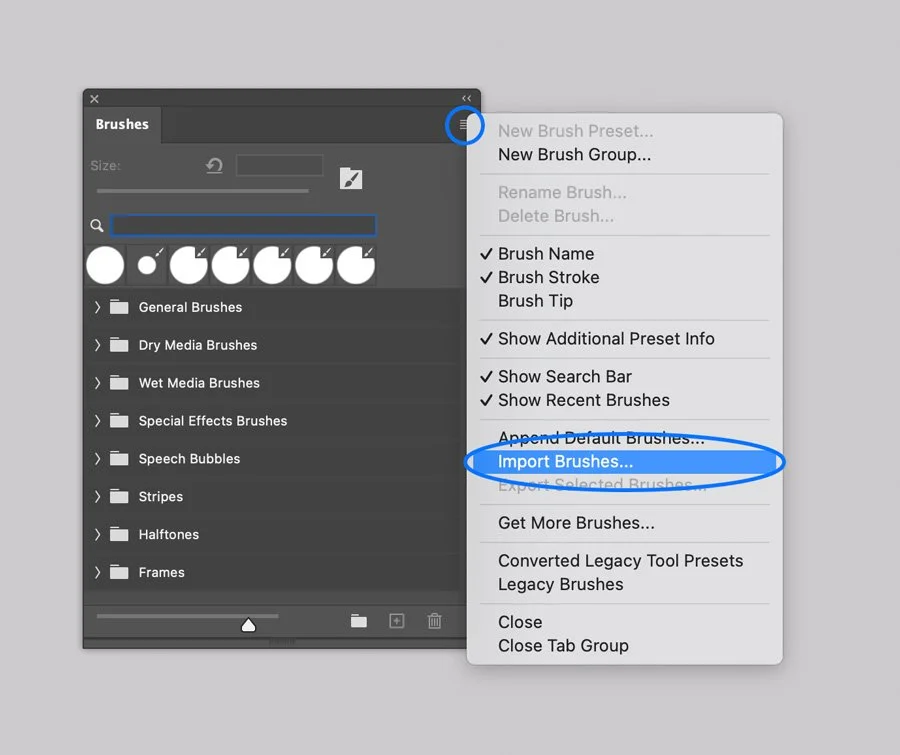
In Adobe Photoshop, Open the Brushes panel (Window > Brushes).

Click the panel's upper right corner button to open drop-down menu.

Step 2

Select the Import Brushes option from the menu and browse the files named:

  • Oil Painting Brushes.abr

Screenshot of a digital color swatches panel in a graphic design software with options for managing swatches, including importing, exporting, and organizing color palettes like 'BA Palette 1' and others.

Package also includes 4 high-resolution paper textures in JPG format.

Illustrator Classy Oil Brushes

A colorful digital painting of a young woman with blue eyes and red lipstick, wearing a wide-brimmed hat with shades of purple, yellow, and orange, against a vibrant, abstract background.
Illustrator Brushes Installation

Step 1

In Adobe Illustrator, open the Brushes panel (Window > Brushes, or F5).

Step 2

Open the Brush Libraries Menu in the bottom left of the Panel (the bookshelf icon).

Step 3

Select the Other Library option and browse the Oil Painting Brushes.ai file.

Illustrator Brushes Installation

Drawing with the Brushes

  1. Select the Brush Tool from the Tools Menu (B).

  2. Select one of the brushes on the Brushes Tab by clicking on it.

  3. Draw a line.

Digital art showing a large, yellow, brushstroke number two on a white background, with a digital brush set panel labeled 'Oil Painting Brushes' overlayed on the right.
Illustrator Brushes Installation

Or, you can apply brushes to existing paths and shapes:

  1. Select an existing line or vector shape with Selection tool (V).

  2. Select one of the brush icons on the Panel, and it will be applied to your line.

  3. Adjust the render by changing Stroke thickness in the Appearance panel.

  4. Next, select one of the halftone swatches and enjoy the final result.

Digital illustration showing a blank yellow-orange frame with rough edges and a digital paintbrush tool menu with various thick black brush strokes.
Screenshot of an Adobe Illustrator interface displaying the 'Appearance' panel with stroke and fill settings.

Texturing and shading with scatter brushes in Adobe Illustrator can be a memory­ consuming process and may affect performance.

If you run an older machine (e.g., pre-2015) with less than 8GB of RAM, you may experience slower-than-usual performance.

Warning

Affinity Classy Oil Brushes

Digital painting of a woman with short hair, wearing a large colorful hat, with blue eyes and red lips, labeled 'Classy Oil' by BrushShapes Studio.
Affinity Brushes Installation

Computer. Step 1

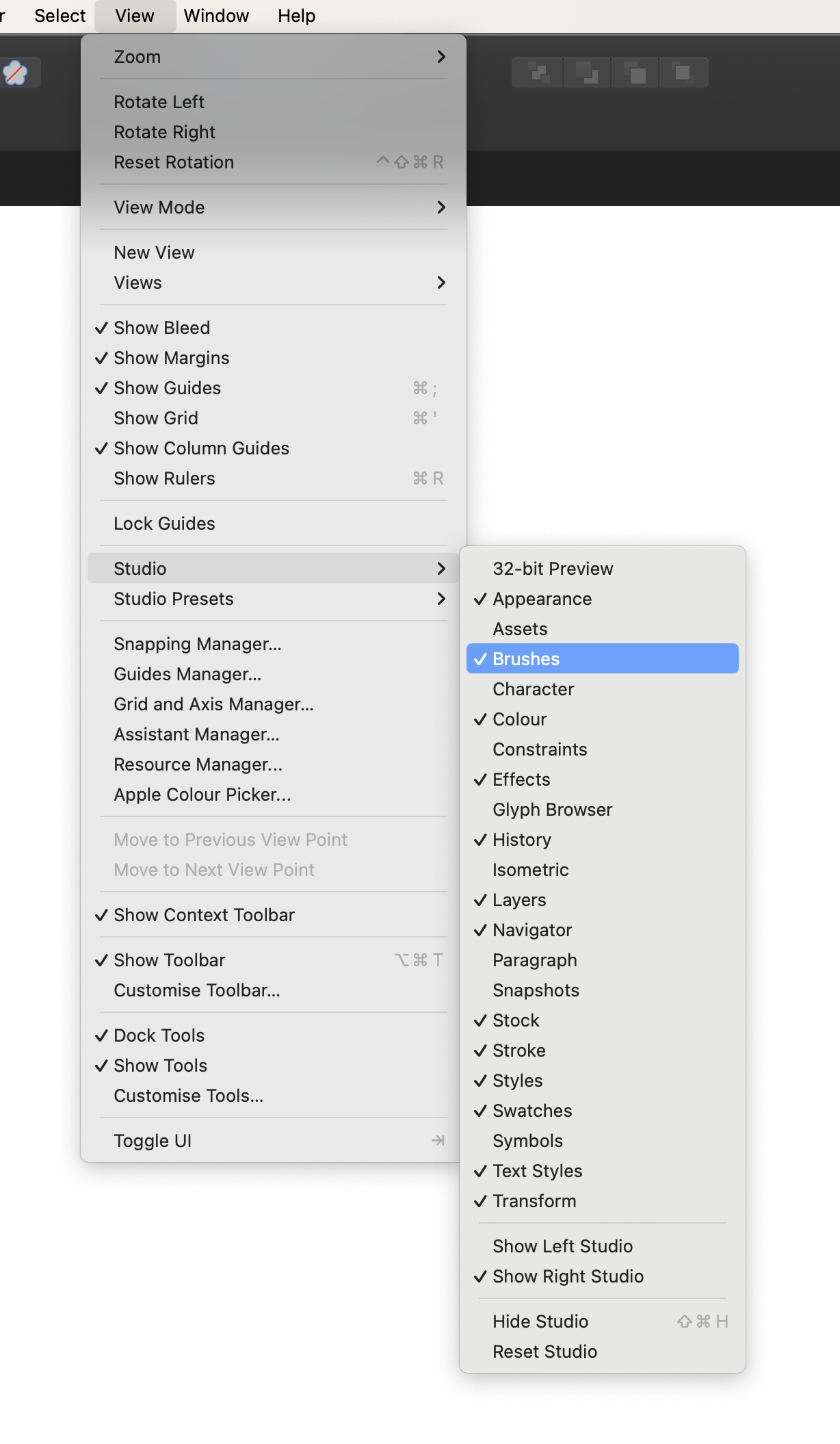
In Affinity Designer open the Brushes panel (Window > Brushes).

Computer. Step 2

Open the drop-down menu in the upper right corner of the Panel.

Screenshot of a digital art software interface showing various brush strokes named 'Stripes' in a category. The context menu is open with options including 'Create New Category,' 'Rename Category,' 'Delete Category,' 'Sort Categories By,' 'Import Brushes,' 'Export Brushes,' 'New Solid Brush,' 'New Textured Intensity Brush,' and 'New Textured Image Brush,' with 'Import Brushes...' highlighted.

Computer. Step 3

Select the Import Brushes option on the Menu and browse files on your device:

  • Oil Painting Brushes.afbrushes

  • Vector Oil Painting Brushes.afbrushes

Package also includes 4 high-resolution paper textures in JPG format.

Tablet. Step 1

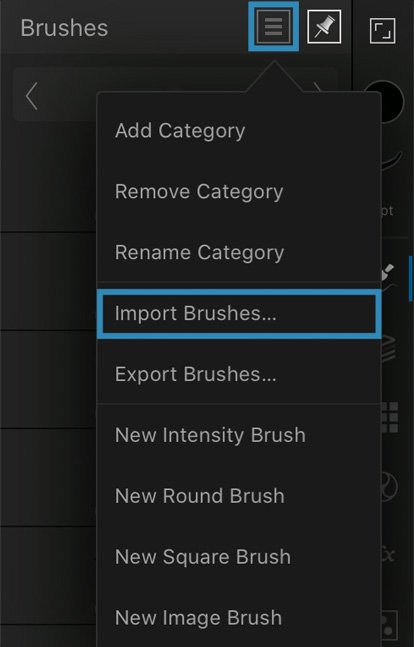
In Affinity Designer app open the Brushes panel.

Tablet. Step 2

Open the drop-down menu in the upper right corner of the Panel.
Affinity Brushes Installation

Tablet. Step 3

Select the Import Brushes option on the Menu and browse files on your device:

  • BA Pen Brushes.afbrushes

  • Vector Oil Painting Brushes.afbrushes

Clip Studio Classy Oil Brushes

Digital painting of a woman wearing a wide-brimmed colorful hat, with blue eyes, red lips, and short dark hair, against an abstract background, titled 'Classy Oil' by Brushapes Studio.

Computer. Step 1.

In Clip Studio Paint open the Brushes Panel (Window > Sub Tool: Brush)

Screenshot of a dropdown menu from a software interface, displaying options for window, tools, and settings, with 'Sub Tool: Brush' selected.

Computer. Step 2.

Open the drop-down menu in the upper left corner of the Panel.

Select the Import sub tool option, and browse the brushes one by one.

Package also includes 4 high-resolution paper textures in JPG format.

Screenshot of a digital art software interface showing a menu with options related to sub tool groups, including 'Sub tool group settings' and 'Import sub tool,' with apanel of different 'Halftone' pattern options visible in the background.

Tablet. Step 1.

Open the downloaded folder, and browse Product files named BA Angled Smooth Brush.sut, BA Dry Bristle Brush.sut and so on.

Open the contextual menu on each brush, and select the Share option.

Screenshot of a file menu showing various Photoshop brush files named with 'BA' and descriptions like palette knife, rough bristle, wide texture, wet rough, smooth streaky, angled smooth, light glaze, and others.

Tablet. Step 2.

Next, Select ‘Clip Studio’ icon to open the file. Repeat these actions for each brush file.

Package also includes 4 high-resolution paper textures in JPG format.

Screenshot of a digital interface showing options to share a file named 'BA Pen Brush 1' via AirDrop, Mail, Notes, or Clip Studio, on an iOS device.

Package also includes 4 high-resolution paper textures in JPG format.

Back to Top