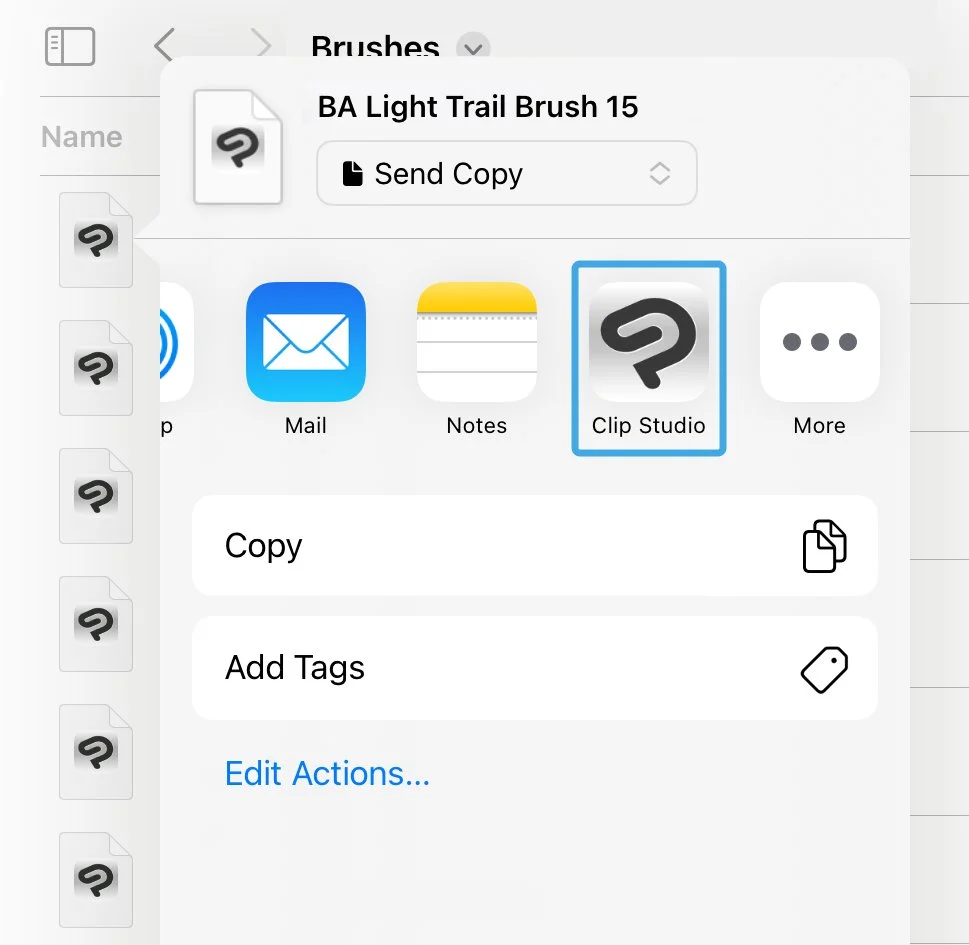
How to Install Light Leaks and Glow Brushes
Light Leaks and Glow Procreate Brushes

Step 1
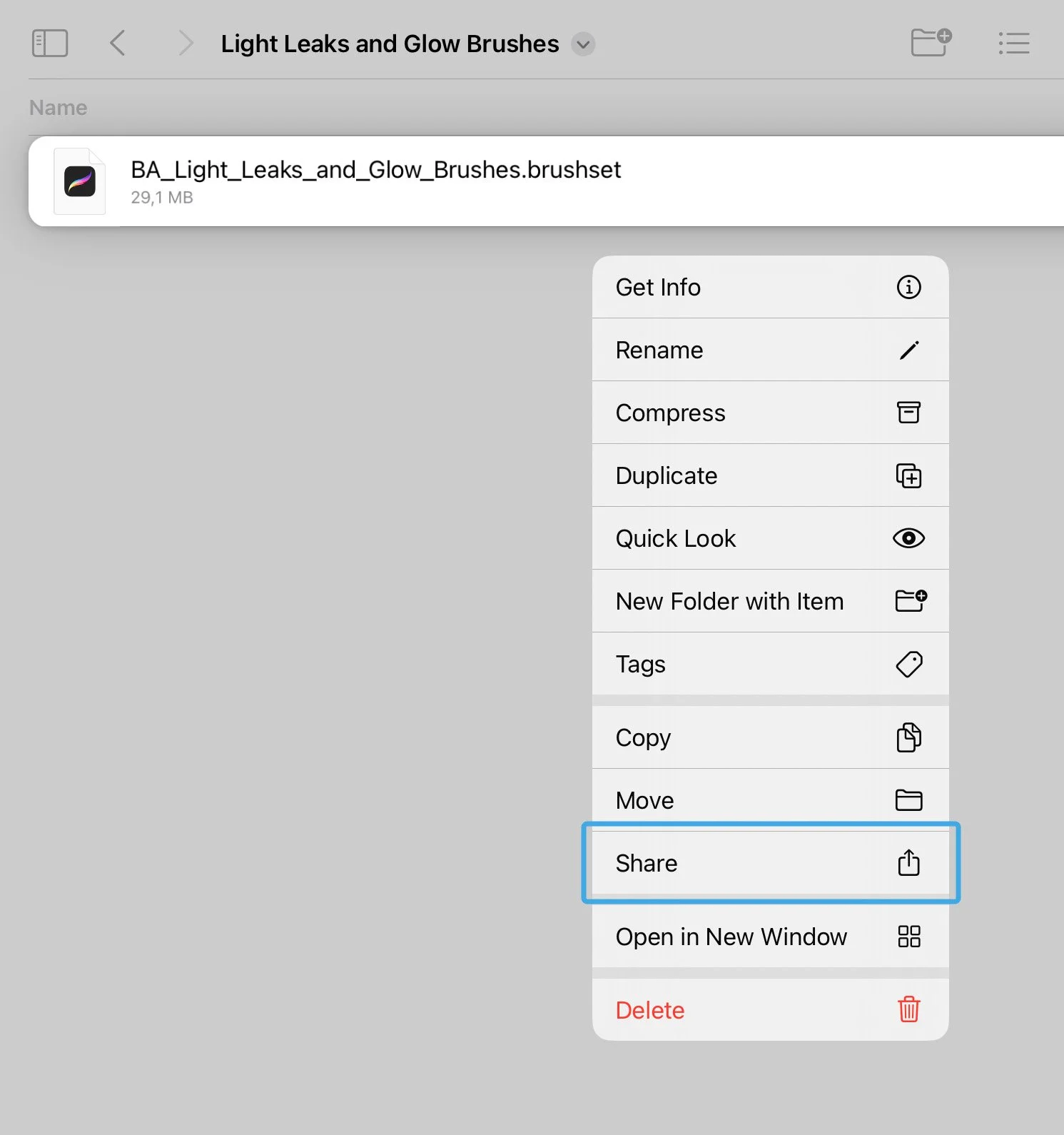
Locate and open the downloaded files named:
BA Light Leaks and Glow Brushes.brushset
In the contextual menu choose and press Share button.
Step 2
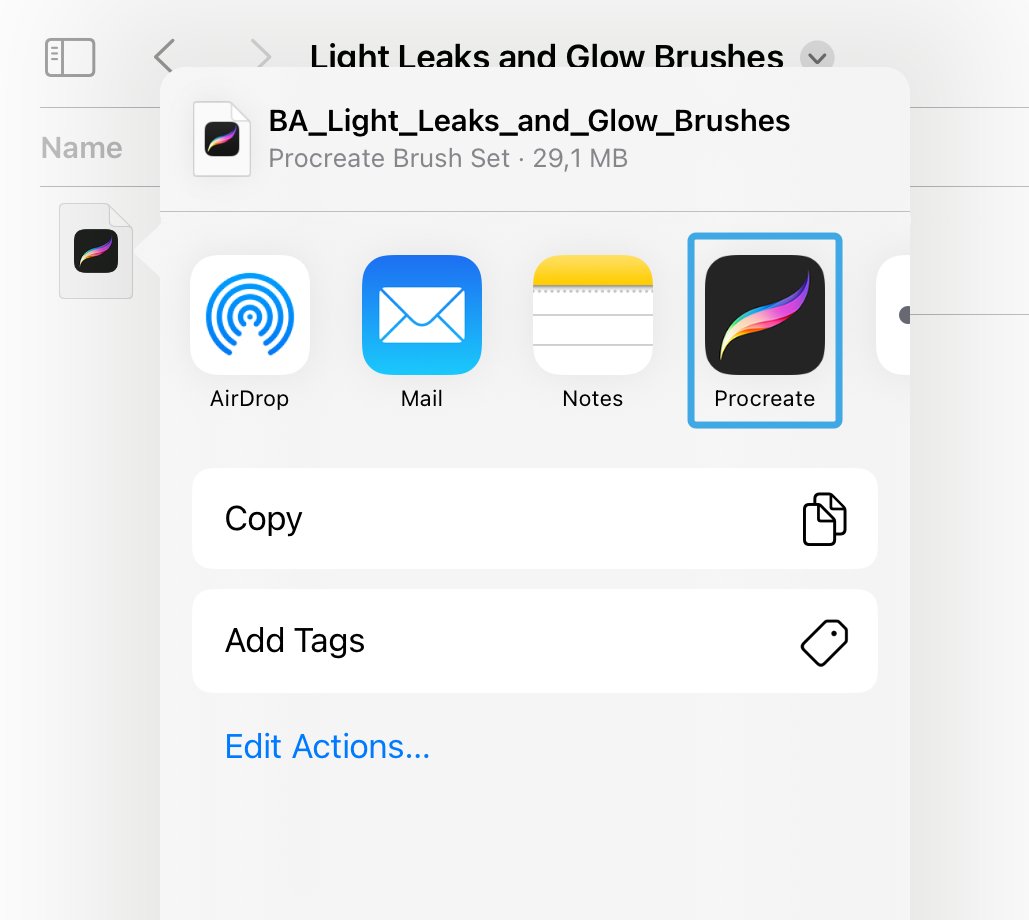
In the contextual menu choose and press Open in Procreate button.
Step 3
Locate and open in Procreate the downloaded files named:
BA Light Leaks and Glow Brushes Palette.swatches
In the contextual menu choose and press Share button.
Light Leaks and Glow Photoshop Brushes

Step 1
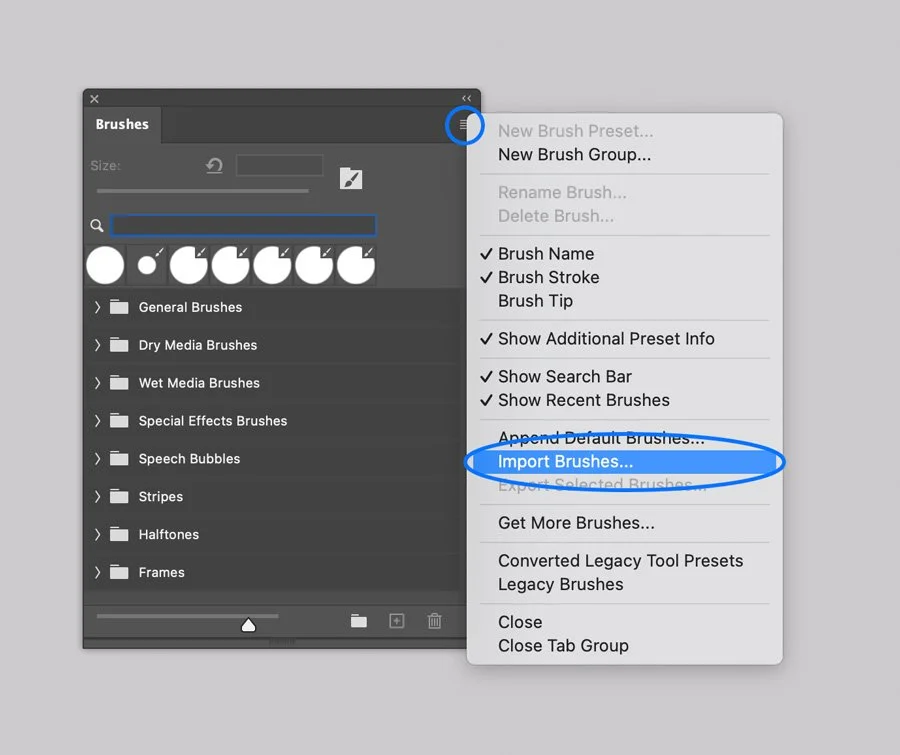
In Adobe Photoshop, Open the Brushes panel (Window > Brushes).
Click the panel's upper right corner button to open drop-down menu.
Step 2
Select the Import Brushes option from the menu and browse the files named:
BA Light Leaks and Glow Brushes.abr

Step 3
In Adobe Photoshop, Open the Swatches panel (Window > Swatches).
Click the panel's upper right corner button to open drop-down menu.
Select the Import Swatches option from the menu and browse the files named:
BA Light Leaks and Glow Brushes Palette.aco
Light Leaks and Glow Affinity Brushes

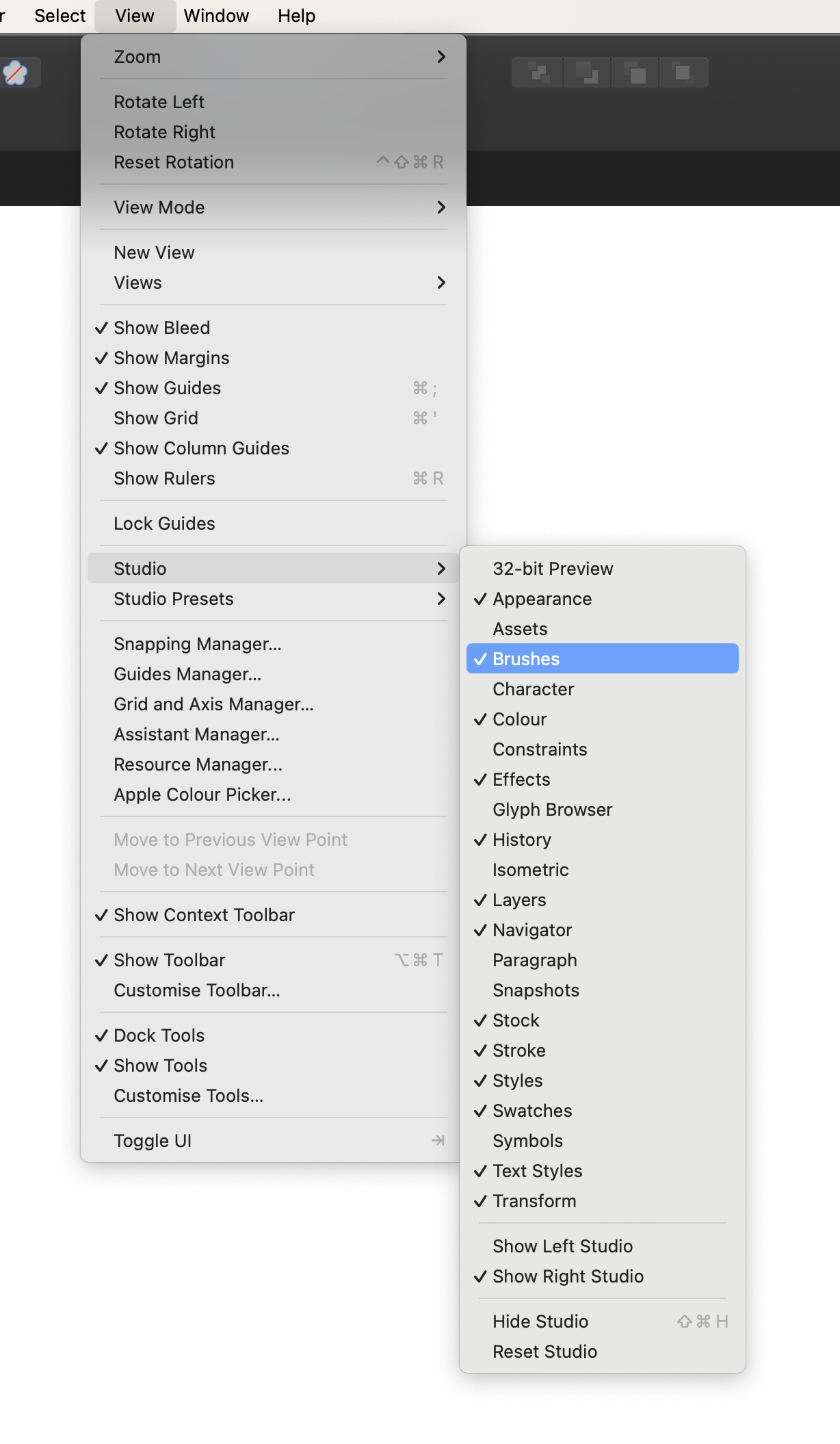
Computer. Step 1
In Affinity Designer open the Brushes panel (Window > Brushes).
Computer. Step 2
Open the drop-down menu in the upper right corner of the Panel.

Computer. Step 3
Select the Import Brushes option on the Menu and browse files on your device:
BA Light Leaks and Glow Brushes.afbrushes

Computer. Step 4
Open the Swathces panel (Window > Swatches). Open the drop-down menu in the upper right corner of the Panel.
Select the Import Palette option on the Menu and browse files on your device:
BA Light Leaks and Glow Brushes Palette.afpalette
Tablet. Step 1
In Affinity Designer app open the Brushes panel.
Tablet. Step 2
Open the drop-down menu in the upper right corner of the Panel.
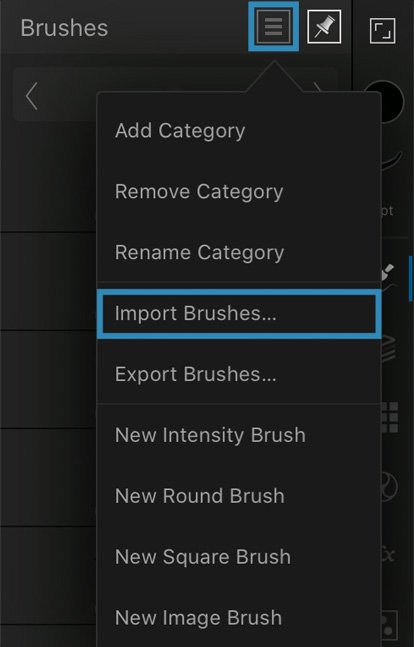

Tablet. Step 3
Select the Import Brushes option on the Menu and browse files on your device:
BA Light Leaks and Glow Brushes.afbrushes
Tablet. Step 4
Select the Import Palette option on the Menu and browse files on your device:
BA Light Leaks and Glow Brushes Palette.afpalette
Light Leaks and Glow Clip Studio Brushes
Computer. Step 1.
In Clip Studio Paint open the Brushes Panel (Window > Sub Tool: Brush)

Computer. Step 2.
Open the drop-down menu in the upper left corner of the Panel.
Select the Import sub tool option, and browse the brushes one by one.

Tablet. Step 1.
Open the downloaded folder, and browse Product files named BA Background Light Brush 1.sut and so on.
Open the contextual menu on each brush, and select the Share option.
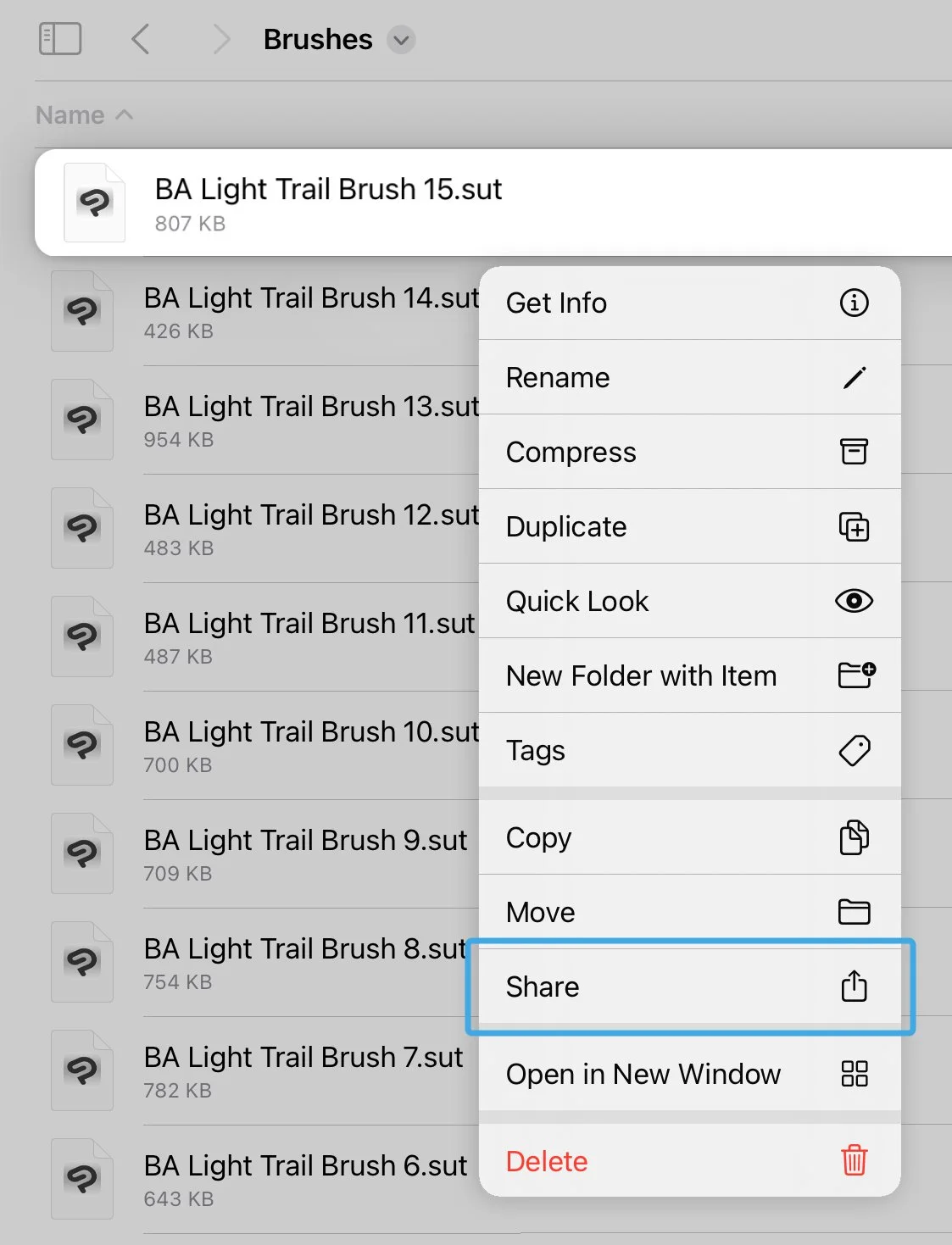
Tablet. Step 2.
Next, Select ‘Clip Studio’ icon to open the file. Repeat these actions for each brush file.